
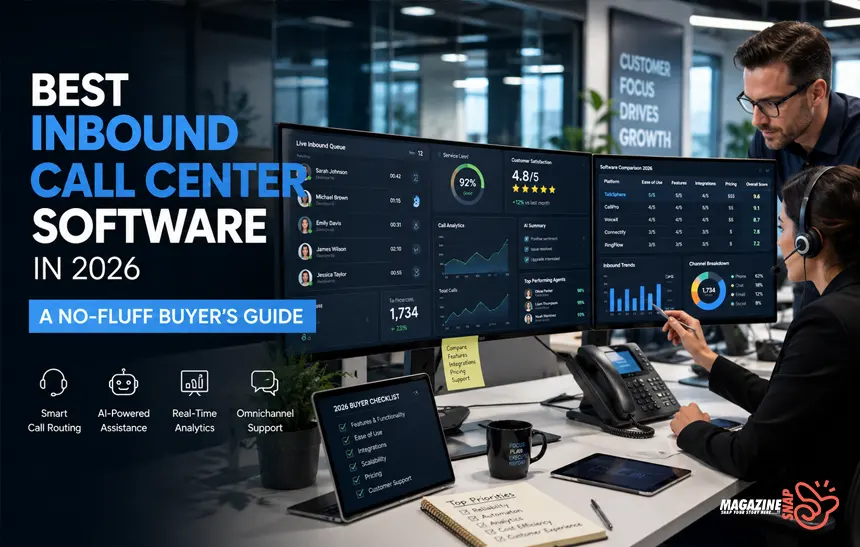
If your support team is still duct-taping together a phone system, a spreadsheet, and three browser tabs – you’re losing customers and you probably already know it. The best inbound call center software doesn’t just answer calls; it routes them intelligently, gives agents context before they say “hello,” and tells you exactly where your team is failing. This guide cuts through the noise and shows you what to actually look for – and which platforms are worth your budget in 2026.
- What Is Inbound Call Center Software?
- Why Most Businesses Get This Wrong
- The Features That Actually Matter 2026
- The Inbound Call Center Software - Top Platforms
- Cloud vs. On-Premise: Which One to Pick
- Pricing: What to Expect
- Integrations You Should Insist On
- Security and Compliance Essentials
- How to Run a Smart Evaluation
- FAQ
- Conclusion
What Is Inbound Call Center Software?
Inbound call center software is a platform that manages incoming customer calls through tools like automatic call distribution (ACD), IVR menus, CRM integration, and real-time analytics. It helps businesses route calls to the right agents faster, reduce wait times, and track performance – all from a single dashboard. Most modern platforms are cloud-based and scale with your team size.
Why Most Businesses Get This Wrong
Most companies pick a phone system based on price alone, then wonder why agents are drowning in misrouted calls six months later. The software category has expanded dramatically – according to Grand View Research, the global call center software market was valued at $28.1 billion in 2022 and is projected to grow at over 23% annually through 2030 [External Link: Grand View Research report → grandviewresearch.com]. That growth means more vendors, more marketing fluff, and more pressure to figure out what actually matters before signing anything.
The core problem is that inbound call center software does several distinct jobs at once. It routes calls, gives agents real-time data & logs everything for compliance and QA. If any one of those layers is weak, the whole system breaks. A call that rings 12 times before reaching the wrong department isn’t a staffing problem – it’s a routing problem, and the software should be solving it.
Companies in healthcare, financial services, and e-commerce have the toughest requirements. They need HIPAA or PCI compliance baked in, not added as an afterthought. They need integrations with Salesforce, Zendesk, or HubSpot that actually work – not half-built connectors that lag by 30 seconds. Getting the software selection wrong costs more than just the monthly license fee; it costs customer trust.

The vendors that tend to win enterprise contracts are the ones with transparent uptime guarantees (99.9% SLA is the floor, not a selling point), solid documentation, and support teams you can actually reach. If a vendor’s own support experience is painful, imagine what it does to your customers.
The Features That Actually Matter 2026
Automatic call distribution is the backbone. An ACD system routes incoming calls based on rules you define – agent skill, customer history, language preference, time of day. The best systems let you adjust routing logic without calling a developer. That flexibility sounds minor until your call volume spikes and you need to change priorities in 10 minutes.
Interactive Voice Response
IVR – is just as important, and just as easy to get wrong. A well-designed IVR tree reduces handle time and gets customers to the right place fast. A bad one traps callers in menus, makes them repeat themselves, and sends them to the wrong queue anyway. The best inbound call center software gives you a visual IVR builder so non-technical teams can manage it themselves.
CRM integration determines whether your agents sound informed or clueless. When a customer calls and the agent can see their last three interactions, order history, and open tickets before picking up – that’s a good experience. Most top platforms integrate natively with Salesforce, HubSpot, and Zendesk. If you’re using something less common, look hard at the API before committing.
Real-time dashboards and call monitoring give supervisors the visibility to actually manage a team. Features like call whisper (coaching agents mid-call without the customer hearing), call barge (joining a live call), and live queue stats are standard on most serious platforms. If a vendor is missing these, skip them. The analytics side matters too – first-call resolution rate, average handle time, and abandonment rate tell you more about performance than any KPI you’ll invent internally.
Workforce management tools are often overlooked until the bill is due. Scheduling, forecasting, and agent adherence tracking used to be sold as separate software. Now, most of the leading inbound call center platforms bundle at least basic versions in. If your team has 20 or more agents, you’ll want this built in – standalone WFM software is expensive and adds another integration to maintain.

The Inbound Call Center Software – Top Platforms
Genesys Cloud CX
Genesys Cloud CX is probably the most complete platform available right now. It covers voice, digital channels, workforce engagement, and AI-assisted routing in one place. Pricing starts around $75/agent/month for the base tier, but you’ll likely need the $110 or $150 tier for full ACD and analytics functionality. It’s built for mid-market and enterprise teams. Small teams often find it overkill, but for 50+ agents, it’s hard to beat.
Five9
Five9 has been a strong mid-market option for years. Its intelligent virtual agent (IVA) is genuinely useful – not a gimmick – and the Salesforce and ServiceNow integrations are among the tightest in the industry. Plans start around $149/agent/month. The UI is a bit dated compared to newer competitors, but the reliability record is excellent. Teams that live in Salesforce should seriously consider it.

NICE CXone
NICE CXone targets enterprise buyers hard, and for good reason – the platform’s workforce management module is one of the best available without buying a third-party tool. Analytics are deep and the AI features (sentiment analysis, automated QA scoring) are mature, not beta features with a “coming soon” asterisk. Pricing is quote-based, so budget a couple of weeks for the sales process.
Talkdesk
Talkdesk has carved out a strong position in the mid-market with a clean UI and a solid app marketplace. The CX Cloud platform includes ACD, IVR, real-time reporting, and AI agent assist. It integrates well with Shopify, which makes it popular with e-commerce brands. Plans start around $85/agent/month. The mobile agent app is better than most, useful if your team works hybrid or remote.
CloudTalk
CloudTalk is worth mentioning for small teams or businesses that don’t need the full enterprise stack. It’s built for teams under 50 agents, easy to set up, and integrates cleanly with HubSpot and Pipedrive. Starting around $25/agent/month, it’s one of the more accessible options – though you’ll hit feature walls if you scale quickly.
RingCentral Contact Center
RingCentral Contact Center is a reasonable choice if you’re already using RingCentral for your business phone system. The integration is tight, setup is relatively fast, and the pricing is competitive. The standalone product is less compelling against Genesys or NICE if you’re starting fresh, but for existing RingCentral customers, it’s worth a serious look.
Cloud vs. On-Premise: Which One to Pick
Cloud-based inbound call center software has won the argument for most businesses. You get faster deployment, automatic updates, and remote access without maintaining servers. According to Gartner, over 75% of contact center infrastructure spending shifted to cloud by 2024 [External Link: Gartner contact center cloud adoption → gartner.com]. The remaining 25% are mostly large enterprises with specific compliance requirements or legacy system dependencies.
On-premise still makes sense in narrow cases – highly regulated industries with strict data residency laws, organizations with existing hardware investments, or businesses with variable connectivity who can’t afford cloud latency. If none of those apply to you, cloud is the right call. The operational overhead of managing your own servers for a phone system is hard to justify in 2026.
Hybrid deployments exist but add complexity. Some vendors offer them as a migration path from on-premise to cloud, which is legitimate. Choosing hybrid from the start usually means you’re managing two systems instead of one and getting the full benefits of neither.
Pricing: What to Expect
Pricing in this space is messy, and vendors work hard to keep it that way. Most platforms charge per agent per month, but the base price rarely tells the whole story. Add-ons for workforce management, AI features, advanced analytics, and premium integrations can double your actual bill.
Budget roughly $75 to $150/agent/month for a mid-market platform with a solid feature set. Enterprise tools like NICE CXone or Avaya tend to go higher, and pricing is negotiated, not listed. For small teams (under 25 agents), you can find capable tools in the $25 to $50 range – CloudTalk, Freshdesk Contact Center, or Zoho Desk are worth evaluating.
Always ask for an all-in pricing estimate before signing. A platform at $85/agent looks reasonable until you realize the CRM integration, historical reporting, and call recording storage are all separate line items. Get the full cost in writing before your trial ends.
Integrations You Should Insist On
CRM integration is non-negotiable. Every serious call center software vendor claims Salesforce compatibility, but the depth varies enormously. Native integrations that sync bidirectionally in real time are very different from “integrations” built on Zapier with a 15-minute delay. Ask specifically how the sync works and whether agent activity logs back to the CRM automatically.
Helpdesk integration matters if your support team uses Zendesk, Freshdesk, or ServiceNow. Calls should auto-generate tickets. Existing tickets should surface during a call. If an agent has to toggle between two systems to do their job, that’s wasted time per call – and it compounds badly across 200 calls a day.
Workforce management and BI tool integration rounds out the stack. If you’re running Tableau or Power BI for reporting, look for platforms with native connectors or at minimum a clean data export. Pulling call center data into your existing dashboards is much easier than convincing leadership to learn another tool

Security and Compliance Essentials
If you’re handling payment information, PCI DSS compliance is mandatory. If you’re in healthcare, HIPAA compliance shapes everything from call recording storage to who can access transcripts. Ask any vendor directly: “What’s your compliance certification status, and can I see documentation?” If they hedge, that’s an answer.
Call recording and data retention policies vary widely. Some platforms store recordings indefinitely; others default to 90 days with options to extend. Know your industry’s requirements before you sign a contract with a default retention window that doesn’t match them. The FTC and state-level regulations around recording consent (particularly two-party consent states) add another layer to manage.
Encryption in transit and at rest should be standard. So should role-based access controls that let you limit who can pull recordings or view sensitive customer data. Multi-factor authentication for agent logins isn’t a nice-to-have – it’s basic hygiene.
How to Run a Smart Evaluation
Don’t evaluate software based on demo videos. Run a real pilot. Most serious vendors offer a 14 to 30-day trial – some free, some paid. Use that time to test the actual routing logic, integration behavior, and reporting accuracy with your real call patterns. Simulated demos always look clean; real traffic finds the bugs.

Get your agents involved early. The people who use the software eight hours a day will identify UX problems in 10 minutes that a procurement team might miss entirely. If agents hate the interface, handle time goes up and morale goes down – both are expensive.
Build a comparison matrix with your 10 most important requirements, not 40. More criteria usually means analysis paralysis, not better decisions. Weight the must-haves (ACD quality, CRM integration, uptime SLA) separately from the nice-to-haves (AI summarization, gamification, mobile app). Then score each vendor honestly.
FAQ
What is inbound call center software?
Inbound call center software manages incoming calls through tools like automatic call distribution, IVR, and CRM integration. It routes callers to the right agents, reduces wait times, and gives supervisors real-time visibility into queue performance. Most modern platforms are cloud-based and include built-in analytics and call recording.
What’s the difference between inbound and outbound call center software?
Inbound software handles incoming calls from customers – support, billing, inquiries. Outbound software is built for teams making calls at scale – sales, collections, appointment setting. Some platforms handle both (called blended contact centers), but most businesses do better starting with a tool purpose-built for their primary use case.
How much does inbound call center software cost?
Pricing typically runs $25 to $150 per agent per month, depending on features and team size. Small-team tools like CloudTalk start around $25. Mid-market platforms like Talkdesk or Five9 run $85 to $150. Enterprise tools are quote-based and often higher. Add-ons for AI, WFM, or premium integrations frequently add 20 to 40% to the base price.
What features should I prioritize when choosing a platform?
Prioritize ACD quality, IVR flexibility, CRM integration depth, real-time reporting, and call recording. After those, look at workforce management, AI agent assist, and mobile access. Compliance features (PCI, HIPAA) are essential if your industry requires them. Pick based on your current team size and call volume, not the biggest feature list.
Can small businesses use inbound call center software?
Yes. Platforms like CloudTalk, Freshdesk Contact Center, and Zoho Desk are built for smaller teams with simpler needs and lower budgets. Most offer entry-level plans under $30/agent/month with core features like IVR, basic reporting, and CRM integration. You don’t need an enterprise platform to get professional-grade call routing.
What’s the best inbound call center software for remote teams?
Cloud-based platforms are built for remote work by default. Talkdesk, Five9, and Genesys Cloud CX all support fully distributed agent teams with web and mobile access. Look specifically for platforms with strong softphone quality, browser-based agent interfaces, and supervisor tools that work without a VPN.
Conclusion
Picking the best inbound call center software comes down to honest answers to a few questions: How many agents do you have? What CRM are you using? What compliance requirements apply to your industry? Once those are clear, the field narrows fast.
Genesys Cloud CX and NICE CXone lead for enterprise teams. Five9 and Talkdesk are strong mid-market bets. CloudTalk and Freshdesk Contact Center work well for smaller operations. Run a real pilot with your actual call traffic, get your agents’ feedback, and nail down all-in pricing before you commit. The right platform is out there – you just have to test before you trust.